When I first heard about the SCULPFUN H1 Auto Heat Press, I’ll admit I was curious. In the heat press world, there are a lot of options, some good, some not so good. I’ve used more than a few heat presses over the years, so when something different shows up, I tend to pay attention.
Rather than getting caught up in marketing claims, I wanted to focus on how this machine actually performs in real crafting situations. This review is based on hands-on use and practical expectations, not hype.
Disclosure: I received this heat press to review. All opinions are 100% my own. This post contains affiliate links and I will be compensated if you make a purchase after clicking on my links, at no additional cost to you.
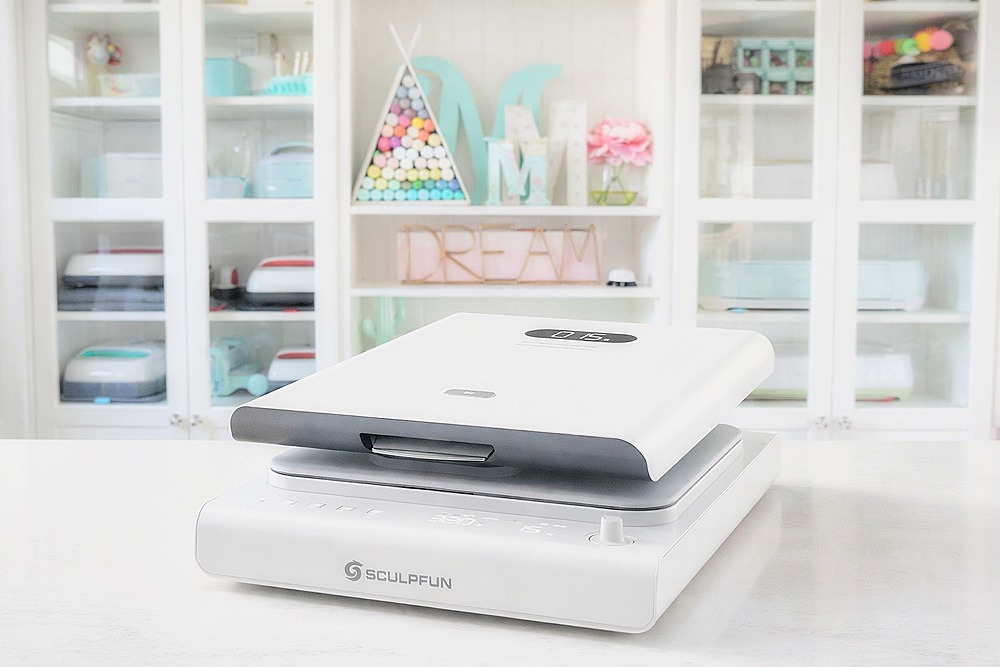
Quick Overview: What Makes the SCULPFUN H1 Stand Out
The SCULPFUN H1 is an automatic heat press with a 15″ x 15″ working area, which is a comfortable size for most apparel and flat projects. One of the biggest differences compared to traditional presses is its upward pressure design.
Instead of the platen pressing down onto the material, the heated plate lifts from below to meet the garment. The idea behind this design is to help create more consistent pressure across the entire surface, especially on thicker fabrics or layered transfers.
At a glance, the H1 feels positioned for serious crafters and small businesses rather than casual hobby use.
SCULPFUN H1 Specifications
Here are the main specs so you can see what the machine offers on paper:
-
Heat plate size: 15″ x 15″
-
Temperature range: 140°F–401°F
-
Pressure settings: Three preset levels
-
Power: 1200W
-
Opening angle: Approximately 85 degrees
-
Safety features: Automatic shut-off and dual cooling fans
-
Weight: About 38 lbs.
These specs put it in line with what most people need for t-shirts, tote bags, pillow covers, and similar projects.
First Impressions and Setup
Out of the box, the SCULPFUN H1 feels solid and well-built. It has enough weight to stay put during use without feeling bulky or overwhelming in a home craft room.
Setup is simple. There’s no complicated assembly, and the control panel is straightforward. You can easily adjust temperature, time, and pressure using clearly labeled buttons and a rotary knob.
The wide opening angle is something you really appreciate when placing garments, especially compared to presses that barely open and make alignment frustrating.
The Upward Pressure Design in Real Use
The upward pressure design isn’t just a gimmick. In use, it does make a noticeable difference in how evenly pressure is applied.
With traditional presses, uneven pressure can happen if the fabric isn’t perfectly flat or if you’re pressing over seams. With the SCULPFUN H1 lifting upward, the pressure feels more balanced and controlled.
In practical terms, this meant:
-
Fewer pressure inconsistencies
-
Less shifting of vinyl or transfers
-
More reliable results on thicker fabrics
You still need good technique, but the machine helps eliminate some common issues.
Performance Across Different Types of Transfers
See the press in action in this full length video!
Vinyl and HTV
For heat transfer vinyl on cotton and cotton-blend blanks, the H1 performed consistently well. The even pressure helped ensure clean adhesion along edges, and the automatic pressing action reduced guesswork.
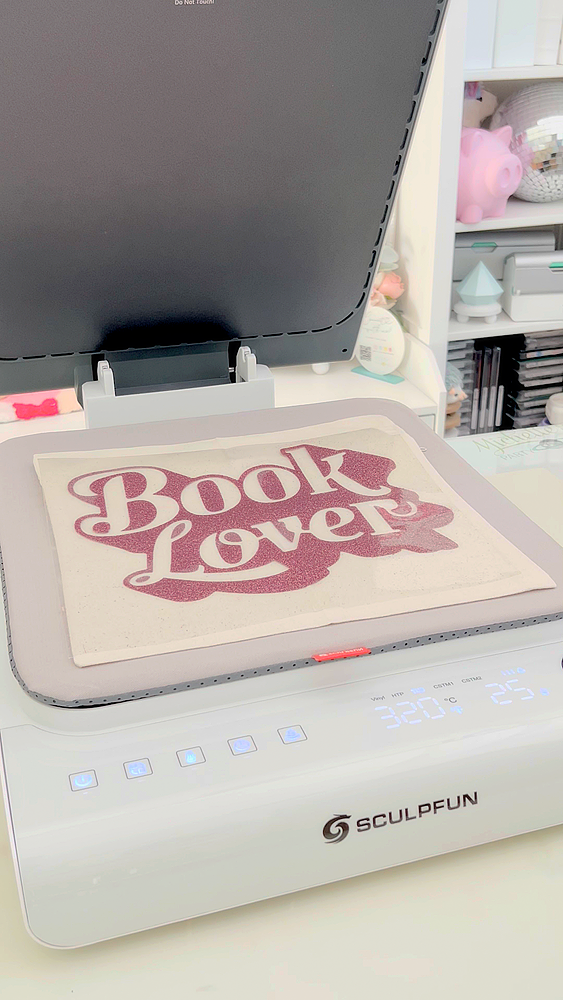
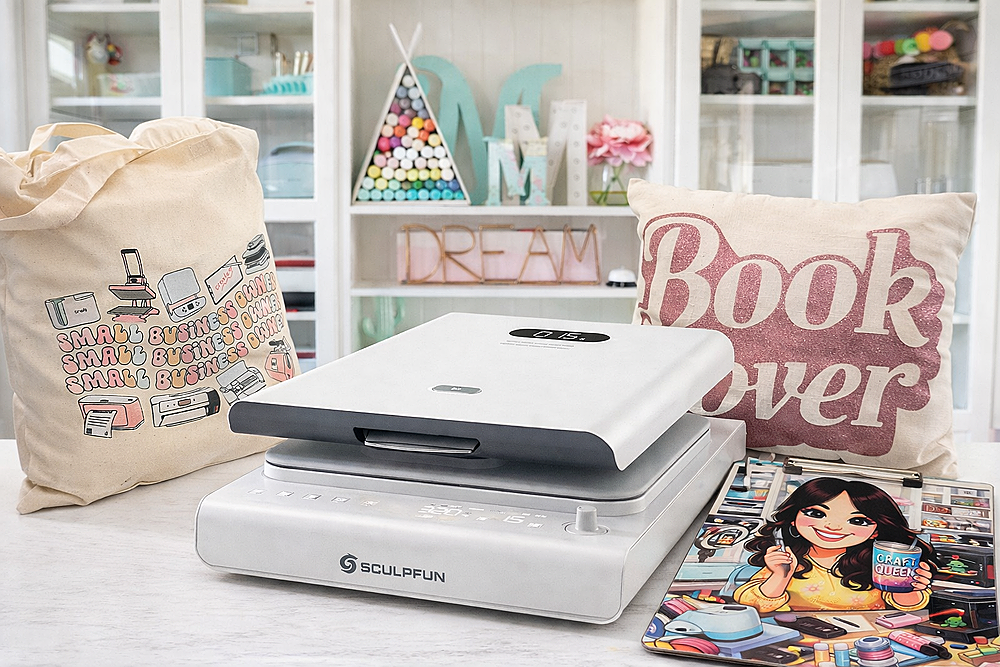
I pressed a few items, one of them being a small cotton canvas pillow with glitter HTV. The results were perfect. The pillow cover had a zipper on the back and the heat press didn’t damage it at all.
DTF Transfers
DTF transfers require reliable pressure and heat, and the SCULPFUN H1 handled them without issue. Being able to choose a higher pressure preset made it easier to get a strong bond without trial and error.
I pressed a cute small business owner DTF print that I made with my Obziy DTF Printer. I pressed it for 300F for 20s. Removed the transfer paper once cooled and repressed for an additional few seconds.

Peels were clean, and I didn’t experience lifting when using recommended settings.
Sublimation Projects
For sublimation, even heat distribution is critical. The H1 maintained consistent temperature across the platen, and finished designs came out vibrant, sharp and even.
This makes it a solid option for flat sublimation projects like shirts, tote bags, fabric panels a well as hard substrates like the MDF Clipboard I created.

I pressed the clipboard for 356 for 60s initially but then after a quick peek pressed it again for another 60 seconds and it came out great!
Ease of Use and Safety Features
The SCULPFUN H1 is designed for everyday use. The automatic shut-off feature adds peace of mind if the machine is left idle, and the dual cooling fans help manage heat during longer pressing sessions.
Overall, it’s a smooth and predictable machine to work with, which matters when you’re focusing on creating rather than troubleshooting.
What I Like Most About the SCULPFUN H1
-
Even pressure across the entire platen
-
Simple, intuitive controls
-
Wide opening angle for easy placement
-
Reliable performance across vinyl, DTF, and sublimation
-
Solid build quality for a home or small business setup
It feels thoughtfully designed rather than rushed to market.
Where the SCULPFUN H1 May Not Be the Best Fit
No heat press is perfect, and this one is no exception.
One thing I did notice is that the SCULPFUN’s heat mat can shift a bit when you’re adjusting or repositioning materials on the press, and it would have been a nice touch if it included side loops to secure it to the machine the way the HTVRONT model does.
If you’re running a high-volume production shop, you may want a heavier industrial press. Beginners may still need some time to learn proper settings. And while it’s not the cheapest option available, the consistency helps justify the price.
How does it compare to my other “auto” heat presses?
| Feature | SCULPFUN H1 | HTVRONT Auto Heat Press 2 | Cricut AutoPress | Obziy Heat Press |
|---|---|---|---|---|
| Heat Plate Size | 15″ × 15″ | 15″ × 15″ | 15″ × 12″ | 15″ × 15″ |
| Temperature Range | 140–401°F (60–205°C) | 212–410°F (100–210°C) | Up to 400°F (205°C) | Up to ~450°F |
| Pressure Control | Adjustable (3 preset levels) | Adjustable | Automatic (no manual adjustment) | Adjustable |
| Timer Range | 1-999 seconds | 1–999 seconds | 1–600 seconds | 1–999 seconds |
| Pressing / Opening Style | Upward press, manual open | Downward press with pull-out drawer (manual) | Downward press with automatic open | Swing-arm press, manual open |
| Controls | On-machine digital panel | On-machine digital panel | Control pod with preset buttons | On-machine digital panel |
| Best For | Balanced control with upward pressure design | Drawer-style workflow with adjustable pressure | Hands-off pressing with true auto-open | Traditional swing-arm users wanting automation features |
Note: Only the Cricut AutoPress opens automatically at the end of a press cycle. All other presses require manual opening, even if they automate pressure or timing.
The SCULPFUN H1 Auto Heat Press offers a good balance of performance, usability, and design. It’s not trying to replace an industrial machine, and it’s not a lightweight craft press either.
If you’re looking for a dependable heat press that delivers consistent results without overcomplicating the process, the SCULPFUN H1 is worth considering. It’s the kind of machine that does its job well, and that’s exactly what most crafters and small business owners want.
I hope this review helps you in your heat press purchase decisions!
Happy Crafting!


- What Caught My Attention at PRINTING United Expo 2026
- How to Emboss Acetate and Composition Notebook Covers
- How to Make a Reusable Sticker Sheet from Sticker and Laminate Backing Sheets
- DIY Clear Acetate Composition Notebook Cover
- Peel-A-Pocket™ Adhesive Pockets for Journals, Scrapbooks, Bibles and More
- How to Customize a Half-size Composition Notebook for Bible Journaling