Thinking about adding a new machine to your craft room or investing in equipment to grow your creative business? With the holiday shopping season approaching, it’s a great time to explore your options!

Over the years, I’ve added quite a few machines to my craft studio. From Cricut cutting machines and sublimation printers to laser cutters, 3D printers, and DTF equipment, I’ve had the opportunity to experiment with different crafting technologies and discover how they can work together.
And while I love trying new machines, I’ve learned that the best investment isn’t necessarily the newest or most expensive equipment. It’s the machine that helps you create the projects you enjoy and, if you’re running a small business, make products your customers actually want to buy.
I’ve put together this holiday gift guide featuring some of my favorite types of craft machines, including equipment I use in my own studio. I’ll also highlight some newer models worth considering when shopping in 2026.
Whether you’re buying a gift for a fellow crafter, upgrading your equipment, or exploring new products to sell, I hope this guide helps you choose the right machine for your creative goals.
Disclosure: This post contains affiliate links. I may earn a commission from qualifying purchases at no additional cost to you. Some equipment featured was provided by the respective brands. My opinions are based on my own experience, and I’ll distinguish between machines I’ve personally used and newer models I haven’t tested.
Best Craft Machines for Crafters and Small Businesses in 2026
Not every crafter needs the same equipment. A machine that’s perfect for making personalized party decorations might not be the best choice for someone planning to sell custom apparel or 3D-printed products.
I’ve organized my recommendations by what each machine does best, what you can create with it, and what you should consider before purchasing.

1. xTool Apparel Printer Plus – Best for Custom Apparel and Full-Color Fabric Projects
If you’ve ever wanted to create colorful designs on shirts, tote bags, and other fabric products without cutting and layering multiple colors of heat transfer vinyl, DTF printing is worth exploring.
The xTool Apparel Printer Plus is one of the newest machines in my studio, and I’ve been putting it to work on several different projects.
I’ve owned other DTF printers, so I was particularly interested in the print quality and everyday workflow. So far, I’ve been impressed with the vibrant colors, fine details, and features designed to make printer operation more manageable.
One of the things I enjoy most about DTF printing is the flexibility. You’re not limited to simple designs or a few colors, and you can apply compatible transfers to a variety of fabrics.
I’ve already used my Apparel Printer Plus for a colorful Route 66 tote bag and something a little unexpected: vintage-inspired Christmas ornaments made from printed muslin fabric!
Those ornaments are a great example of how DTF can be used for more than traditional apparel.
What Can You Make?
- Custom T-shirts and sweatshirts
- Personalized tote bags
- Team and event apparel
- Fabric decorations and accessories
- Full-color transfers for handmade products
Is It Worth the Investment for a Small Business?
If you regularly create custom apparel or want to expand into full-color fabric products, having your own DTF printer can give you more control over production and turnaround times.
However, DTF printing does require ongoing maintenance, consumables, and equipment for curing and applying transfers.
If you only make a few shirts occasionally, ordering ready-made DTF transfers may be more economical. But for someone producing apparel consistently, an in-house printer could be a worthwhile investment.
Why I recommend considering it: Excellent creative flexibility and detailed, full-color transfers, including applications beyond T-shirts.
Best for: Established crafters and small businesses interested in custom apparel and fabric products.
Read my review: xTool Apparel Printer Plus Review
Project inspiration: How to Print Your Own Fabric with DTF
Shop the xTool Apparel Printer Plus

2. xTool WonderPress – Best for Versatile Heat-Press Projects
I’ve used quite a few heat presses over the years, including the Cricut AutoPress and HTVRONT Auto Heat Press. Both have been regulars in my studio, but the xTool WonderPress has become my favorite heat press so far!
What makes it different is the modular design.
The Heat Press Module handles projects such as heat transfer vinyl, sublimation transfers on compatible flat blanks, and DTF transfers. The Craft Oven Module opens up additional applications, including curing DTF adhesive powder and working with certain compatible heat-activated materials.
I’ve been using both modules with my Apparel Printer Plus. After manually applying adhesive powder, I cure my transfers in the Craft Oven Module and then use the Heat Press Module to apply the designs to fabric.
That workflow has allowed me to create DTF projects without adding an automated shaker-and-curing system to my studio.
What Can You Do with the WonderPress Modules?
One of the biggest advantages of the xTool WonderPress is that it isn’t limited to traditional heat pressing. Its interchangeable modules allow you to explore several different crafting techniques.
- Heat Press Module: Ideal for applying heat transfer vinyl, DTF transfers, and sublimation designs to compatible flat surfaces.
- Craft Oven Module: Useful for curing DTF adhesive powder and working with compatible heat-activated craft materials.
- 3D Form Module: Designed for creating dimensional projects using compatible materials and forming accessories, including custom-shaped packaging and molded designs.
I’ve been using the Heat Press and Craft Oven Modules for my DTF projects, and I’m excited to explore the creative possibilities of the 3D Form Module as well. Each module has different applications, so I’d recommend choosing the configuration that fits the projects you actually want to make.
What Can You Make?
- Custom shirts and tote bags
- Heat transfer vinyl projects
- Sublimation projects on compatible materials
- DTF transfers and finished fabric products
- Compatible shrink-plastic and oven-cured crafts
Is It Worth the Investment for a Small Business?
A dependable heat press is useful for almost anyone creating personalized apparel or heat-transferred products.
What makes the WonderPress particularly interesting is that you can expand the system with additional modules as your crafting interests grow.
However, the modules and bundles have different costs. I’d start with the applications you actually plan to use rather than purchasing every accessory immediately.
Why I recommend it: It’s my favorite heat press, and I appreciate being able to use the system across different crafting techniques.
Best for: Crafters and small businesses creating heat-transfer, sublimation, and DTF projects.
Read my review: xTool WonderPress Review

3. Cricut Cutting Machines – Best for Paper Crafts, Vinyl, and Personalized Products
You probably knew Cricut would make this list!
I’ve been crafting with Cricut machines for years, and even with all the other equipment I’ve added, I still use them regularly.
From personalized party decorations and notebook covers to stickers, vinyl projects, and paper crafts, Cricut machines are some of the most versatile tools in my studio.
They’re also a great starting point for someone interested in turning a crafting hobby into a small business without immediately investing in specialized production equipment.
Which Cricut Should You Consider in 2026?
If you’re shopping for a new machine, I’d compare the current Explore 5 and Maker 5 models first.
Cricut Explore 5: A versatile option for everyday projects involving vinyl, cardstock, stickers, and compatible specialty materials. It’s worth considering if you’re primarily interested in personalized gifts, party decorations, and paper crafting.
Cricut Maker 5: Designed for crafters who want a broader selection of tools and compatible materials. I’d consider the Maker series if you enjoy experimenting with different techniques and need its additional capabilities.
Cricut Joy 2 and Joy Xtra: Smaller-format options worth exploring if you have limited workspace or primarily make compact projects.
I own several Cricut Explore, Maker, and Joy machines, and I still find different uses for them depending on the project.
What Can You Make?
- Party decorations and favor packaging
- Vinyl decals and personalized gifts
- Custom notebook covers
- Stickers and labels
- Cards, tags, and paper crafts
- Heat transfer vinyl apparel
Is It Worth the Investment for a Small Business?
A Cricut machine can be a practical way to test new product ideas without investing in commercial production equipment.
For example, you can create personalized party favors, custom decals, and paper products in small batches.
Just remember that cutting size, material compatibility, and production speed matter. If you plan to manufacture large quantities, you may eventually need equipment designed for higher-volume production.
Why I recommend Cricut: The versatility. I can create everything from simple party decorations to detailed layered projects.
Best for: Beginners, hobbyists, party planners, and small businesses creating personalized products.

4. Bambu Lab 3D Printers – Best for Dimensional Gifts and Unique Products
3D printing has opened up an entirely different side of crafting for me!
I use Bambu Lab X1C and P1S printers in my studio, and I love being able to create dimensional objects that I couldn’t easily make with my traditional crafting tools.
From small accessories and decorative pieces to articulated animals, 3D printing offers plenty of creative possibilities.
I’ve even been developing my Mystery Packet Pals, miniature articulated animals packaged as surprise collectibles.
One of the things I enjoy most is combining 3D printing with other crafting techniques. I can print the animals with my Bambu printers and create the packaging using my other equipment.

Which Bambu Lab Printer Should You Consider in 2026?
My firsthand experience is with the X1C and P1S. However, the X1C has been discontinued, so I wouldn’t make it my first recommendation for someone shopping for a new printer today.
The newer Bambu Lab P2S is worth considering. It builds on the P-series platform with updated features, including a touchscreen interface, improved monitoring, and a redesigned extrusion system.
If you’re considering a P1S that’s still available through a retailer, I’d compare its price and features with the P2S before deciding.
I haven’t personally tested the P2S, so I can’t compare its real-world performance directly with my printers. My positive experience with the X1C and P1S is why I continue to follow Bambu Lab’s newer equipment.
What Can You Make?
- Personalized ornaments and decorations
- Articulated toys and collectibles
- Craft accessories and organizers
- Dimensional embellishments
- Small gift items and novelty products
Is It Worth the Investment for a Small Business?
3D printing is worth exploring if you enjoy making dimensional products or want to create items that aren’t practical with traditional paper and vinyl crafting tools.
However, print times, filament costs, failed prints, and finishing work all affect profitability.
It’s also important to understand design licensing. Not every 3D model available online can legally be printed and sold.
For my Mystery Packet Pals, I use designs covered by a commercial license.
Why I recommend exploring 3D printing: It allows you to create repeatable dimensional products and combine them with other crafting techniques.
Best for: Makers interested in dimensional gifts, accessories, collectibles, and small-batch products.
5. Laser Cutting and Engraving Machines – Best for Personalized Gifts and Creative Projects
Laser crafting is another technique I enjoy, especially for creating personalized gifts, ornaments, signs, and decorations.
I’ve completed projects with both my xTool M1 Ultra and WeCreat Vision, WeCreat Vista and WeCreat Lumos, and I love the possibilities these machines bring to my craft studio.
One thing I’ve learned is that choosing a laser machine isn’t just about cutting power. It’s also about the types of projects you want to create and whether you need additional crafting functions.
Which Laser Machine Should You Consider in 2026?
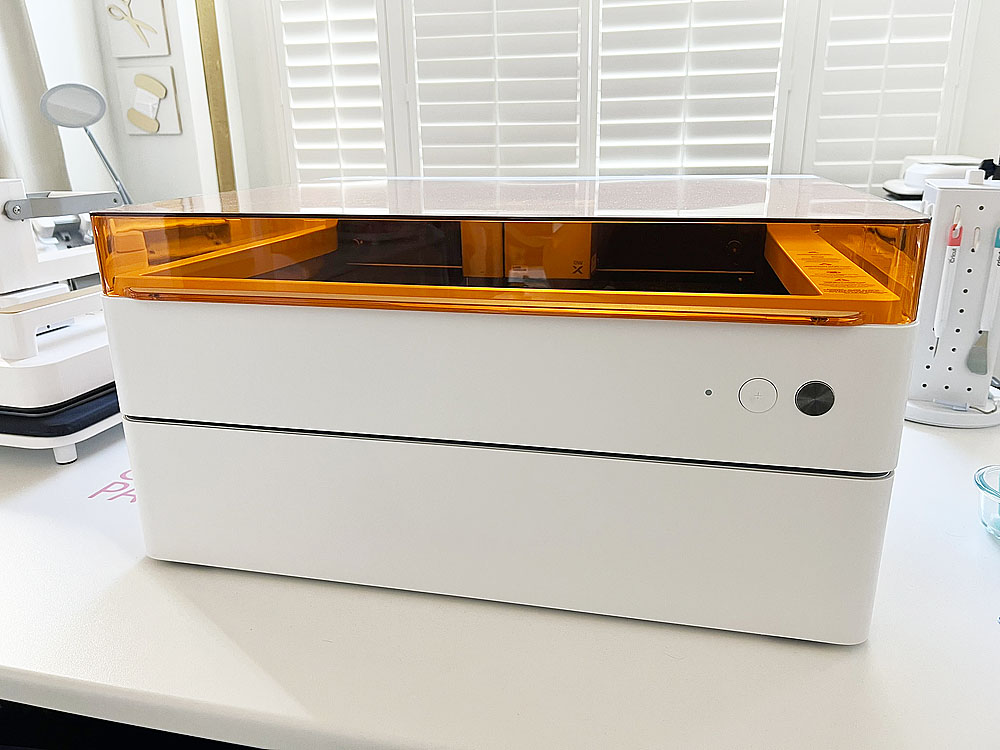
xTool M2: If you’re interested in combining laser cutting and engraving with color printing, the M2 is worth exploring. It offers a workflow with camera-assisted positioning and additional compatible accessories for different applications.
The M2 is a newer alternative to the discontinued M1 Ultra, but the two machines have different capabilities.
My M1 Ultra combines laser cutting, blade cutting, drawing, and other crafting functions. The M2 focuses on laser processing and color printing, so it isn’t a direct replacement for every M1 Ultra feature.
I haven’t personally tested the M2, but my experience creating projects with the M1 Ultra gives me an appreciation for combining multiple crafting techniques in one machine.

WeCreat Vista: I also use the WeCreat Vista, a dedicated enclosed laser machine. It’s another option worth considering for crafters interested in cutting and engraving compatible materials.
What Can You Make?
- Personalized wooden ornaments
- Custom signs and decorations
- Engraved gifts and accessories
- Layered decorative pieces
- Party and event decorations
- Custom tags and embellishments
Is It Worth the Investment for a Small Business?
Laser machines can open up opportunities for personalized products, especially if you enjoy working with wood, compatible acrylic, and other laser-safe materials.
Before purchasing, consider the materials you want to use, the machine’s cutting and engraving capabilities, ventilation requirements, and available workspace.
Also, remember that different laser technologies work with different materials. Not every machine can process every type or color of acrylic.
Why I enjoy laser crafting: The precision and ability to create personalized projects that complement my other crafting techniques.
Best for: Crafters and small businesses interested in personalized gifts, signs, ornaments, and decorative products.

6. Epson SureColor Sublimation Printers – Best for Personalized Drinkware and Colorful Gifts
Sublimation has been part of my crafting routine for years, and it’s still one of my favorite methods for creating colorful personalized gifts.
I use Epson SureColor F170 and F570 printers in my studio.
Sublimation is especially useful for mugs, tumblers, ornaments, and other compatible blanks.
Unlike DTF transfers, sublimation dye becomes part of a compatible polyester-based material or specially coated surface. That creates a smooth finish without a raised transfer layer.
Which Epson Sublimation Printer Should You Consider?
Epson SureColor F170: A compact option for crafters primarily creating smaller sublimation projects. It’s worth considering for personalized gifts and drinkware when you don’t need wide-format printing.
Epson SureColor F570: A larger-format option for makers and businesses that need additional print width and production flexibility.
I’ve used both, and I’d choose based on the size of the projects you plan to make rather than assuming the larger machine is always better.
What Can You Make?
- Personalized mugs and tumblers
- Photo gifts
- Holiday ornaments
- Sublimation-compatible apparel
- Coasters and accessories
- Custom gifts for events and celebrations
Is It Worth the Investment for a Small Business?
Sublimation can be a good fit for personalized gift businesses, particularly if you enjoy creating custom drinkware and photo products.
You’ll also need compatible blanks and appropriate heating equipment, such as a tumbler press, mug press, heat press, or sublimation oven.
Keep in mind that traditional sublimation works with compatible polyester fabrics and coated surfaces. It doesn’t print white ink, so white and light-colored blanks generally provide the best results.
Why I recommend sublimation: Vibrant, full-color designs on compatible products without the feel of a separate transfer.
Best for: Crafters and small businesses specializing in personalized gifts and drinkware.
Shop Epson SureColor Sublimation Printers
How to Choose the Best Craft Machine for Your Needs
Before investing in new equipment, I’d think about three things: what you want to make, how often you’ll use the machine, and what additional supplies or equipment you’ll need.
| Machine | Best For | Consider Before Buying |
|---|---|---|
| xTool Apparel Printer Plus | Full-color apparel and fabric products | Maintenance, consumables, curing equipment |
| xTool WonderPress | Heat transfers and versatile heat-based crafts | Module selection, compatible blanks, workspace |
| Cricut Explore 5 / Maker 5 | Vinyl, paper crafts, stickers, and party products | Cutting size, compatible tools, production volume |
| Bambu Lab P2S | Dimensional gifts and collectibles | Print time, filament, design licensing |
| xTool M2 / WeCreat Vista & Vision | Engraved and laser-cut gifts | Materials, ventilation, laser safety |
| Epson SureColor F170 / F570 | Sublimation gifts and drinkware | Print width, compatible blanks, heating equipment |
Don’t Forget the Ongoing Costs
One thing I always recommend considering is the total cost of ownership.
A machine might be on sale, but you’ll still need supplies to use it.
A DTF printer requires inks, film, adhesive powder, and ongoing maintenance. A sublimation printer needs compatible blanks and heating equipment. A 3D printer needs filament, while a laser machine may require ventilation accessories and replacement consumables.
Those expenses should be part of your decision, especially if you’re purchasing equipment to start or grow a business.
Think About What You Can Sell
If your goal is to make money from crafting, I’d start by identifying the products you want to offer rather than choosing a machine simply because it’s popular.
Think about who your customers are, what they’re willing to pay, and how much time each product takes to produce.
A machine that helps you create repeatable products efficiently may be a better business investment than one with dozens of features you’ll rarely use.
And remember, you don’t have to purchase everything at once. I’ve built my studio over time, adding equipment as my interests and projects expanded.
Should You Buy Craft Machines During Black Friday?
Holiday promotions can be a great opportunity to invest in equipment, especially when retailers offer bundles with useful accessories. But I wouldn’t purchase a machine simply because it’s advertised as a Black Friday deal. Compare the regular selling price, included accessories, warranty, return policy, and supplies you’ll need to get started. Also, look carefully at what’s included in each bundle. A lower-priced package isn’t necessarily the best value if you’ll need to purchase additional equipment separately. I’ll be keeping an eye on holiday promotions and updating this guide with relevant offers as they become available.
Upcoming xTool Black Friday & Cyber Monday Deals (2026)
If you’ve been thinking about adding a new xTool machine to your craft room, you’ll want to mark your calendar! xTool has shared its upcoming Black Friday and Cyber Monday promotions, running from November 2 through December 4, 2026.
Two of the machines I’ve been using in my own studio will be included in the sale!
xTool Apparel Printer Plus – Save $400
From November 2 through December 4, the xTool Apparel Printer Plus standalone printer will be available for $4,999 (regularly $5,399), a savings of $400.
I’ve been using mine to create vibrant DTF transfers for apparel and fabric projects, including my vintage-inspired Christmas ornaments. If you’re considering bringing DTF printing in-house for your crafting or small business, this is a great opportunity to compare the equipment and overall investment.
Shop the xTool Apparel Printer Plus
xTool WonderPress – Save $20
The xTool WonderPress Heat Press standalone configuration will be $379 (regularly $399), saving you $20 during the November 2–December 4 promotion.
The WonderPress has quickly become my favorite heat press! I especially appreciate its modular design, which allows me to use the Heat Press and Craft Oven Modules for different projects.
Keep in mind that this promotional price is for the Heat Press standalone configuration, not a bundle containing all available modules.
Sale dates: November 2–December 4, 2026. Promotional prices are provided by xTool and are subject to change. Discounts may not be active before November 2. Always verify the current price and included accessories before purchasing.
WeCreat – Laser Cutting for Creative Small Businesses
If you’re considering adding laser cutting and engraving to your creative business, the WeCreat Vista is another machine worth exploring!
I use the WeCreat Vista, Vision and Lumos in my own craft studio, and I’ve enjoyed incorporating laser cutting and engraving into my handmade projects. WeCreat is also offering a special promotion for small business owners, with the opportunity to claim up to $250 in business savings and receive a free software membership.
Explore the WeCreat Lasers and Small Business Savings Offer
Offer eligibility and terms are determined by WeCreat. Check the campaign page for current details.

One of my favorite things about crafting is finding new ways to combine different techniques.
I might use Cricut to create a notebook cover, a Bambu Lab printer for a dimensional embellishment, or my xTool Apparel Printer Plus to create custom fabric for a completely different project.
Each machine brings something different to my studio.
If you’re shopping for a crafter or considering equipment for your own creative business, I hope this guide helps you decide which machine makes the most sense for your projects and goals.
The best craft machine is the one you’ll actually use, enjoy, and continue finding creative possibilities with long after the holidays.
Happy crafting!