Creating custom cake toppers is one of my favorite ways to add a personal touch to a celebration. Whether it’s a birthday, baby shower, or themed party, a custom topper instantly makes a cake feel more special.
Instead of buying premade toppers, I like being able to create my own designs and print them at home. With a 3D printer and a simple PNG image, you can turn your artwork into a custom topper in just a few minutes.
This post may contain affiliate links, which means I may earn a small commission if you make a purchase through these links at no additional cost to you. I only share products and tools that I personally use and recommend.
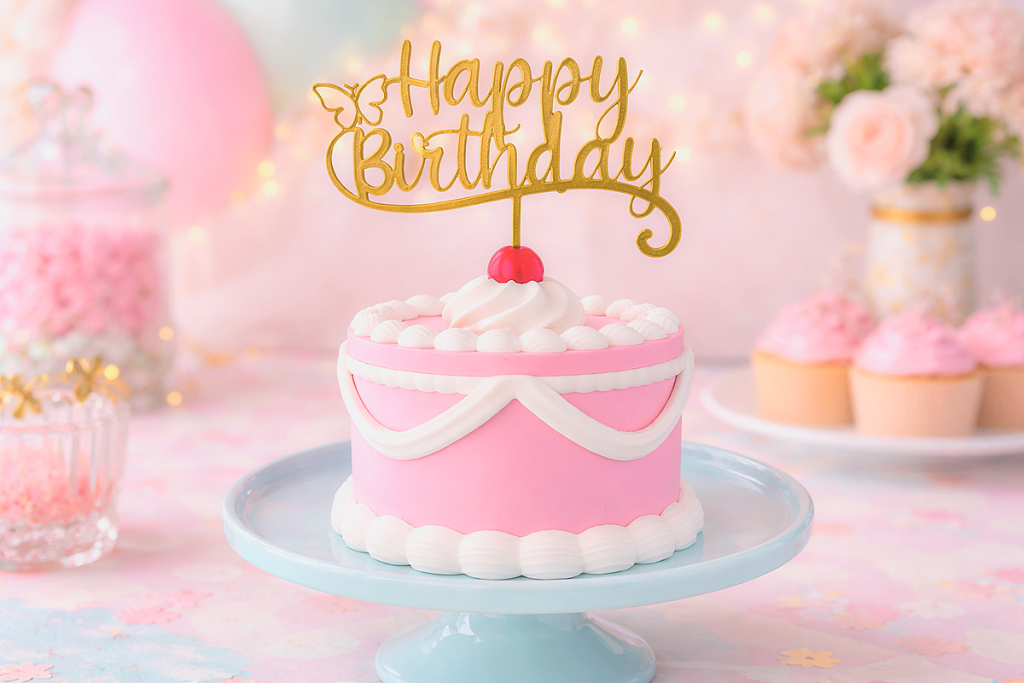
How to Create a 3D Printed Cake Topper
In this tutorial, I’m going to show you exactly how I create them in just a few steps. The process is surprisingly simple and is a great beginner project if you’re just getting started with 3D printing.
Let’s walk through the process step by step.
A Great Beginner Project for New 3D Printers
If you’re just starting with 3D printing, creating your own cake toppers might sound complicated. Many people assume they need to learn advanced 3D modeling software or purchase expensive design files.
The great news is that you don’t need to do either.
Using Bambu MakerLab’s Image to Keychain tool, you can quickly turn a simple PNG image into a printable 3D model in just a few clicks. The software automatically converts your image into a raised design that can be printed on your 3D printer.
What You’ll Need
Before we start, here are the tools and files I used to create this 3D printed cake topper.
PNG design
A PNG image with a transparent background works best for converting your design into a 3D model.
Bambu MakerLab
This free online tool converts your PNG image into a 3D file.
Bambu Studio
You’ll use Bambu Studio to resize, rotate, and prepare the model for printing.
3D printer
I used a Bambu Lab printer for this project, but the STL file can be printed on most 3D printers.
PLA filament
PLA works great for decorative prints like cake toppers because it prints cleanly and holds detail well.
Step 1: Create Your Cake Topper Design and Save It as a PNG
Start by creating your cake topper design in your favorite design software. You can use whatever program you feel most comfortable with, as long as you can export the finished design as a PNG file.
Some popular options include:
- Canva
- Procreate
- Photoshop
- Illustrator
For best results, keep your design clean and easy to read. Bold shapes, thicker lines, and simple lettering usually work best when turning a flat image into a 3D print.
When your design is finished, save it as a PNG with a transparent background. This is important because it helps Bambu MakerLab recognize the design without adding an unwanted background shape.
Cake toppers are often designed as one complete piece with the stick attached directly to the topper, which is the style I’m using for this project. That makes the topper ready to print as a single piece and keeps the process simple.
You can design your topper however you prefer, though. Some people choose a topper with attached stakes, while others create a design that sits on separate sticks or picks. For this tutorial, I’m working with a topper that is already designed as one full piece, including the topper and the stick.

Step 2: Upload Your PNG to Bambu MakerLab
The next step is converting your PNG image into a 3D model.
Bambu MakerLab includes a tool called Image to Keychain, which works well for turning flat designs into raised 3D prints.
To begin:
-
Open Bambu MakerLab in your web browser.
-
Select the Image to Keychain tool.
-
Click Upload Image.
-
Choose your PNG file.
Once your image uploads, MakerLab will generate a preview of how the design will look as a 3D model.
Step 3: Adjust the Model Settings
After the image is uploaded, MakerLab automatically creates a raised version of the design.
This is where you can adjust the thickness of the topper.
Typical settings for cake toppers include:
- Base thickness: 2–3 mm
- Raised design depth: 1–2 mm
These settings create a sturdy topper while still keeping the print lightweight and quick to produce. If your design includes small details or text, increasing the raised depth slightly can help make the design stand out more.
Take a moment to review the preview and make sure the edges and shapes look clean before moving on.
Step 4: Generate the 3D Model
Once you’re happy with the preview:
-
Click Download
-
MakerLab will convert your PNG into a 3D file.
The file will download as an STL file, which is the standard file format used for 3D printing.
Save the file somewhere easy to find on your computer so you can open it in Bambu Studio next.
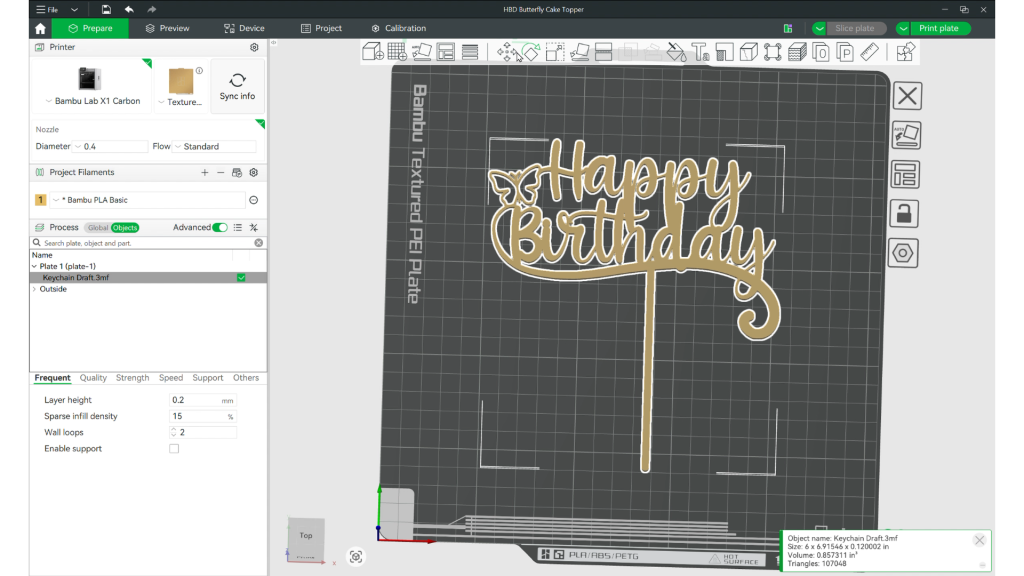
Step 5: Open the File in Bambu Studio
Next, open the STL file in Bambu Studio so you can prepare it for printing.
-
Launch Bambu Studio.
-
Click Open File.
-
Select the STL file you downloaded from MakerLab.
The model will appear on the virtual build plate.
At this stage, the topper may be larger or smaller than you want, so the next step is resizing it.
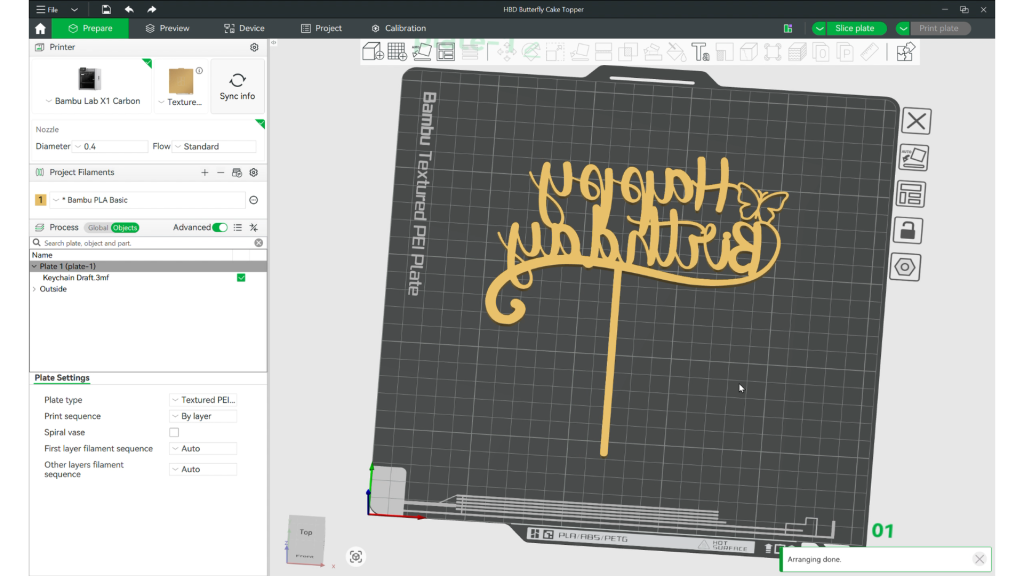
Step 6: Resize and Flip the Model Face Down
Cake toppers typically look best between 4 and 6 inches wide, depending on the size of the cake and the design.
To resize your topper:
-
Select the model in Bambu Studio.
-
Click the Scale tool.
-
Adjust the width until the topper reaches the desired size.
For reference:
- small cake: about 4 inches
- standard cake: about 5 inches
- large cake: about 6 inches
Make sure uniform scaling is enabled so the design stays proportional.
After resizing, rotate the topper so it prints face down on the build plate. Printing face down helps create a smoother and cleaner front surface because the visible side prints directly against the build plate.
Step 7: Slice the Model
Once your topper is sized and positioned correctly, it’s time to prepare the file for printing.
Click Slice Plate in Bambu Studio.
The software will calculate:
- print time
- filament usage
- layer preview
Most cake topper prints take 30 to 60 minutes, depending on the size and thickness of the design. Because toppers are usually lightweight, they use very little filament.
Step 8: Print the Cake Topper
After slicing:
-
Click Print Plate.
-
Send the file to your Bambu printer.
-
Start the print.
Your printer will begin creating the topper layer by layer.
Step 9: Remove the Topper from the Build Plate
Once the print is finished, carefully remove the topper from the build plate.
Because this design is printed as one complete piece, your topper is ready to use as soon as it comes off the printer. If needed, you can trim away any light stringing or clean up the edges for a neater finish.
Now your custom 3D printed cake topper is complete and ready for your celebration!
Important Note About Food Safety
This topper is intended for decorative use. Since 3D printed toppers are not considered food-safe, it’s best to avoid direct contact with edible portions of the cake whenever possible.
Since traditionally, the stick will be inserted into the cake, I recommend wrapping that portion before use with cling wrap or parchment paper. Alternatively, you place the stick portion in a paper straw. The topper should also be removed before serving.
Tips for Creating Better 3D Printed Toppers
Here are a few tips that can help your toppers print more successfully.
Use simple designs
Bold shapes usually convert better than very detailed artwork.
Choose thicker fonts
Thin lettering can be fragile and harder to print cleanly.
Avoid tiny details
Very small elements may not show clearly in the final print.
Start with a clean PNG
A high-quality image with a transparent background will usually give you better results in MakerLab.

Creative Cake Topper Ideas
Try designing toppers for:
- birthday parties
- baby showers
- bridal showers
- graduation celebrations
- themed party events
- holiday desserts
This workflow makes it easy to create personalized decorations that match your party theme without needing advanced 3D design skills. And you can resize them for cucpakes too! So yay for not having to learn another software program!
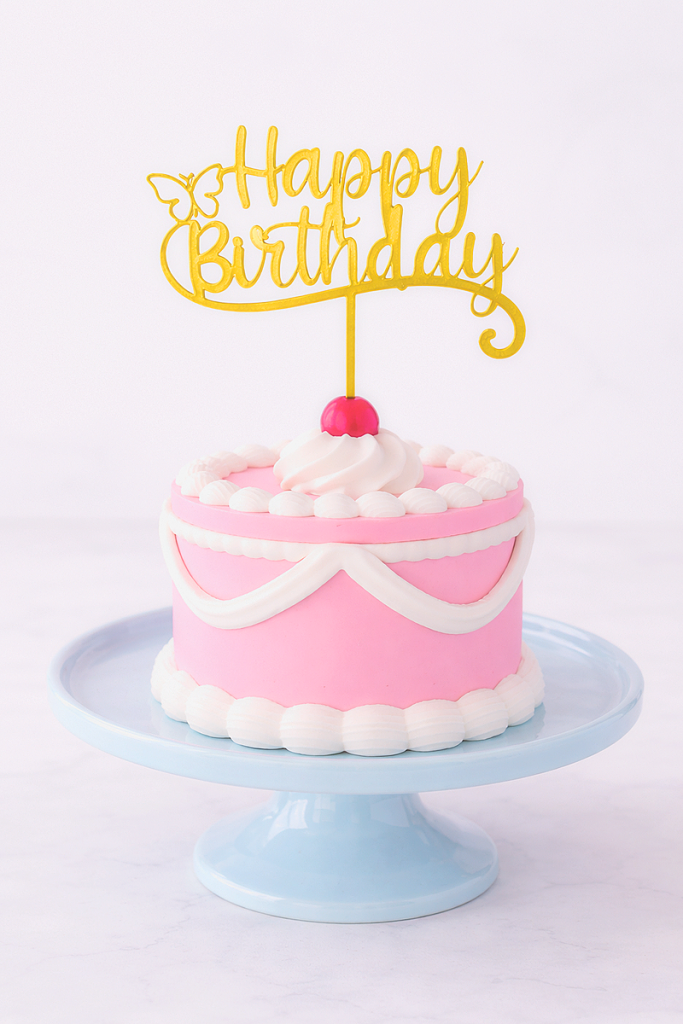
Watch the Full Tutorial
If you’d like to see this process step by step, be sure to watch my full video tutorial below.
I hope you find this tutorial helpful in making your own toppers for your next celebrations!
Happy 3D Printing!


- How to Make a Reusable Sticker Sheet from Sticker and Laminate Backing Sheets
- DIY Clear Acetate Composition Notebook Cover
- Peel-A-Pocket™ Adhesive Pockets for Journals, Scrapbooks, Bibles and More
- How to Customize a Half-size Composition Notebook for Bible Journaling
- DIY Bible Notes Journal from a 50-Cent Composition Notebook
- How to Design a Scrapbook Layout in Cricut Design Space